Text
Click a text and type. Select words to make them bold, change their colour or add a link.

 Get in touch
Free tool
Open the HTML report, dashboard or page an assistant made for you. Click what you want to change, edit it right on the page, and save a new copy. No code, no new prompt, nothing leaves your computer.
Works in Edge and Chrome. Free, no account.
Preview
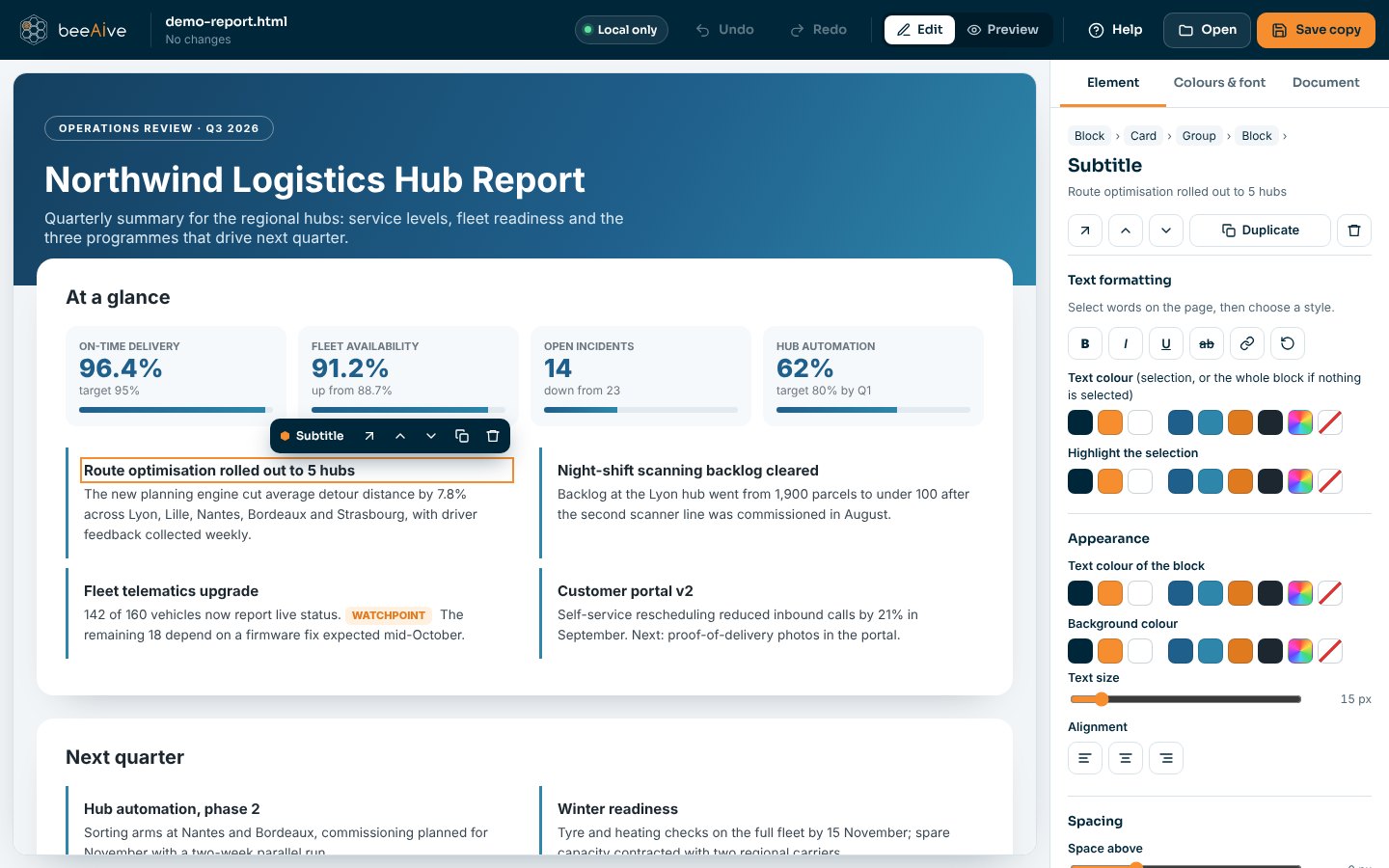
Everything happens on screen, directly on the page. The original file is never modified: you get a separate copy ending in -update.html.
Free tool
Click a text and type. Select words to make them bold, change their colour or add a link.
Click an image to replace it. Large images are resized automatically.
Change a colour everywhere on the page in one go, charts included. Swap the font.
Move, duplicate or delete cards, sections and rows. Add a text or an image after any block.
Add or remove rows and columns. Drag a slider to set a progress bar.
Tabs, filters and buttons keep working. Edits to generated text are written back into the page data.
Tokens
Asking an assistant to change one word means it rewrites the whole file. That costs time and tokens, and every regeneration is a chance for something else to change without you noticing.
1.3 M characters regenerated to fix one typo in an interactive dashboard. Versus 1 word changed here, in two seconds, for zero tokens.
The whole file is generated again
Tokens and usage limits spent on every round trip
Untouched parts may come back different
Instant, as many small fixes as you need
No AI involved, so no tokens at all
Surgical: only what you change is modified
Security commitment
The editor is a single file running in your browser. Your page is opened with the browser's file picker, edited in memory and saved where you choose.
The editor declares a browser security policy that forbids outgoing data connections and form submissions, for itself and for the page being edited.
No artificial intelligence is involved in editing. No sign-in, no analytics, no cookies.
Each save creates a separate copy. Only the parts you changed differ from the original.
You can check it yourself: press F12, open the Network tab, then edit and save a page.
FAQ
Any complete .html file: reports, dashboards and pages generated by Claude, ChatGPT, Copilot or written by hand. Pages that build their content with JavaScript, such as interactive dashboards, are supported.
Yes. Download the editor once and open it from your computer; it needs no internet connection.
No. Totals and percentages computed by the page from its data are recalculated at every opening; editing them by hand would create inconsistencies, so the editor refuses and tells you.
Yes, with no account and no limit. It is one of the free tools we share from the hive.
Try it